
Head Tracking
An OpenTrack compatible head tracking mod for Outer Wilds
Outer Wilds Head Tracking
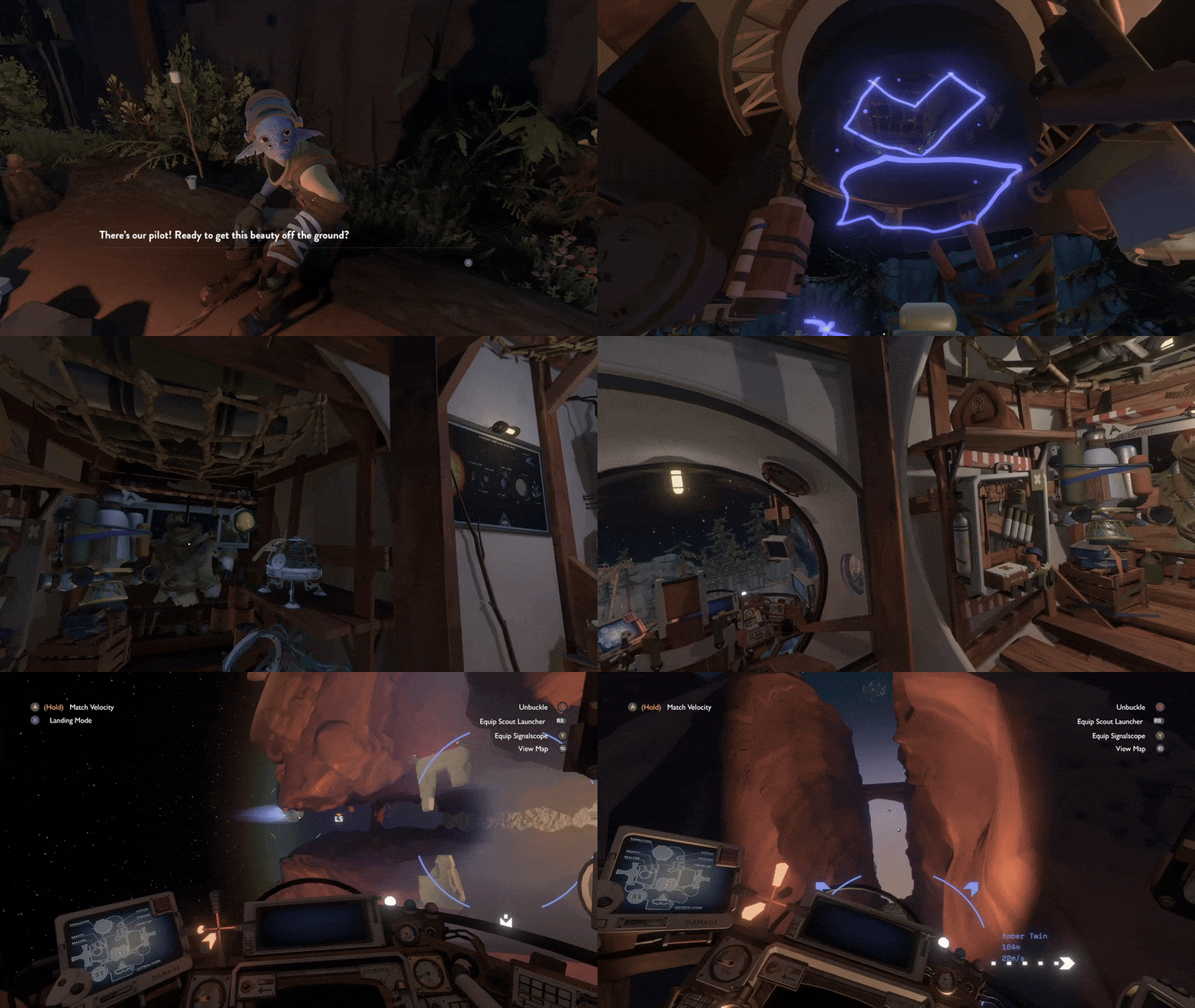
An unofficial head tracking mod for Outer Wilds that moves the view with your head while your mouse or controller keeps aiming, driven by OpenTrack over UDP, with no VR headset required.
Features
- Decoupled look + aim: Look around freely with your head while your aim stays independent
- 6DOF head tracking: Yaw, pitch, roll rotation plus positional tracking (lean in/out/side-to-side) via OpenTrack UDP protocol
- Works with any OpenTrack compatible tracker - free options available for PC, iOS and Android
Requirements
- Outer Wilds (Steam or Epic)
- Outer Wilds Mod Manager
- A head tracking source (see below)
Installation
Install from OWMM
- Download and install Outer Wilds Mod Manager (OWMM).
- Open OWMM and install OWML (Outer Wilds Mod Loader) if it is not already installed.
- Open Get Mods, search for Head Tracking by itsloopyo, and click Install.
- Follow Setting Up OpenTrack below to configure and start your tracker.
- Launch Outer Wilds using the play button in OWMM.
Build from Source
- Install pixi
- Clone this repository
- Run
pixi run install - Configure OpenTrack to output UDP data to
127.0.0.1:4242 - Launch the game
Manual Installation
See INSTALL.md for detailed manual installation instructions.
Setting Up OpenTrack
The mod listens for OpenTrack pose data on UDP port 4242, on every network
interface. One datagram is six little-endian 64-bit floats in the order
x, y, z, yaw, pitch, roll: position in centimetres, rotation in degrees, 48
bytes in total. Anything that sends that to that port drives the view.
OpenTrack's UDP over network output sends exactly this, and the steps below
set it up.
- Install OpenTrack.
- Pick a tracker under Input, using the notes below.
- Set Output to UDP over network, host
127.0.0.1, port4242. - Press Start. Tracking and the game can start in either order.
Webcam
OpenTrack ships a neuralnet tracker input that reads a plain webcam. Select it
under Input, pick your camera in its settings, and use the output settings
above. How well it tracks depends on your camera and your lighting, so try it
before buying anything.
Phone
A phone app can reach the mod directly, with no OpenTrack on the PC, if it sends
the datagram described above. Point it at this PC's IP address (run ipconfig
to find it) on port 4242. Not every phone tracker speaks this protocol, so
check yours for an OpenTrack or UDP output option first. Headcam
sends it, and I wrote it so decent tracking is free for anyone who already owns
a phone.
Sending direct works when the app filters its own signal on the device. The
mod's smoothing is sized to take the edge off a clean signal rather than to
rescue a noisy one, so a raw feed sent direct will jitter. If it does, point the
app at OpenTrack's UDP over network input on some other port, say 5252,
and let OpenTrack's filters and curves clean it up before its output forwards to
127.0.0.1:4242.
Anything arriving from outside 127.0.0.0/8 counts as a remote connection and
is smoothed with RemoteSmoothing rather than LocalSmoothing. That includes a
tracker on this very PC that sends to the machine's own LAN address, because the
mod reads the source address and not the machine.
Headset or other hardware
If your device has an OpenTrack input driver, select it under Input and use the same output settings. OpenTrack's own Input list is the authority on what it can read; the mod only ever sees what OpenTrack sends.
Centring
Centring belongs to your tracker. The mod subtracts no centre of its own: it applies the pose it receives exactly as it arrives, so a stream of zeros holds the view where the game itself puts it. Press the centre control in your tracker (OpenTrack's Center bind, or the CENTER button in Headcam) and the tracker zeroes its own output, which leaves the view centred with the mod doing nothing.
That is why there is no centre hotkey here and nothing to re-centre in game. Two centres in series would drift apart, because each side re-centres at moments the other cannot see, and you would end up pressing twice to centre once. If the view sits off to one side, centre it in the tracker.
Controls
Two equivalent binding sets - use whichever your keyboard has:
| Action | Nav-cluster | Chord |
|---|---|---|
| Toggle tracking | End | Ctrl+Shift+Y |
| Cycle tracking mode | Page Up | Ctrl+Shift+G |
Page Up / Ctrl+Shift+G cycles tracking mode:
- Normal head-tracked gameplay
- Positional tracking disabled, rotational tracking enabled
- Rotational tracking disabled, positional tracking enabled
- Back to normal
Configuration
Settings are available in the OWML Mod Manager or in-game mod menu. The mod creates a config file with default settings on first run. Edit it to customize:
| Setting | Default | Description |
|---|---|---|
opentrackPort | 4242 | UDP port for receiving tracking data |
yawSensitivity | 1.0 | Horizontal look sensitivity |
pitchSensitivity | 1.0 | Vertical look sensitivity |
rollSensitivity | 1.0 | Head tilt sensitivity |
localSmoothing | 0.0 | Smoothing when the tracker runs on this machine (loopback). 0 = none, 1 = heavy |
remoteSmoothing | 0.15 | Smoothing when the tracker is a remote device on the network. 0 = none, 1 = heavy |
flashlightMultiplier | 1.5 | How far the flashlight turns relative to your head. 1.0 matches the view, 0 leaves the beam on your aim |
positionEnabled | true | Enable positional tracking (lean in/out/side-to-side) |
positionSensitivityX | 4.0 | Lateral position multiplier |
positionSensitivityY | 4.0 | Vertical position multiplier |
positionSensitivityZ | 4.0 | Depth position multiplier |
positionLimitX | 0.30 | Max lateral displacement (meters) |
positionLimitY | 0.20 | Max vertical displacement (meters) |
positionLimitZ | 0.40 | Max depth displacement (meters) |
Position uses the same localSmoothing / remoteSmoothing value as rotation; there is no separate position smoothing setting.
Building from Source
This project uses pixi for build management.
# Install dependencies
pixi run restore

# Build the mod
pixi run build

# Build and install to OWML Mods folder
pixi run install

# Create release package
pixi run package
The mod depends on the shared CameraUnlock.Core library, included as a git submodule in the cameraunlock-core/ directory. Clone with --recurse-submodules, or run git submodule update --init in an existing clone.
Game types are resolved at build time from the community OuterWildsGameLibs NuGet package, so the build needs no local Outer Wilds install and no game files are copied into this repository. See THIRD-PARTY-NOTICES.md.
Project Structure
outer-wilds/
├── manifest.json              # OWML mod manifest
├── default-config.json        # Default settings
├── pixi.toml                  # Build configuration
├── scripts/
│   ├── deploy.ps1             # Deploy to OWML
│   ├── package-release.ps1    # Create release zip
│   └── uninstall.ps1          # Remove from OWML
└── src/OuterWildsHeadTracking/
    ├── HeadTrackingMod.cs     # Main mod entry point
    ├── Camera/
    │   ├── Core/              # Camera rotation patches
    │   ├── Effects/           # Flashlight
    │   ├── UI/                # Reticle, markers, translator
    │   └── Utilities/         # Rotation helpers
    ├── Configuration/         # Constants
    └── Tracking/              # OpenTrack client
Technical Details
- Built for .NET Framework 4.8
- Uses Harmony 2.4 for runtime patching
- Integrates with OWML 2.9+
- Shared core library provides: UDP receiver, rotation processing, smoothing algorithms
Community & Support
- Discord: Loop's Head Tracking Hangout - setup help, bug reports, and new-release announcements
- Lopari - free Windows launcher with one-click install and launch for the released head-tracking mods
- Headcam - free app that turns your iPhone or Android phone into the head tracker
License
MIT License - see LICENSE for details.
This mod ships CameraUnlock.Core.dll, which is MIT under a separate copyright
holder, so its notice travels in the release ZIP as well. Every third-party
component, what it is licensed under and whether it is redistributed is recorded
in THIRD-PARTY-NOTICES.md.
Credits
- Mobius Digital and Annapurna Interactive - Outer Wilds
- OWML - Mod loading framework
- Outer Wilds Mod Manager - How users install this mod
- Harmony / HarmonyX - Runtime patching library
- OpenTrack - The tracking protocol this mod speaks
Outer Wilds is the property of Mobius Digital and Annapurna Interactive. This is an unofficial fan project, not affiliated with or endorsed by them, and it needs a legitimately purchased copy of the game. It redistributes no game code or assets. The demo clip above is gameplay footage and remains theirs.
Head Tracking
An OpenTrack compatible head tracking mod for Outer Wilds