Sun-Proof Hotshot Readout
Make the lock-on distance/velocity readout readable against the sun. Custom colors, outlines, range tiers, and a bloom toggle.
Sun-Proof Hotshot Readout
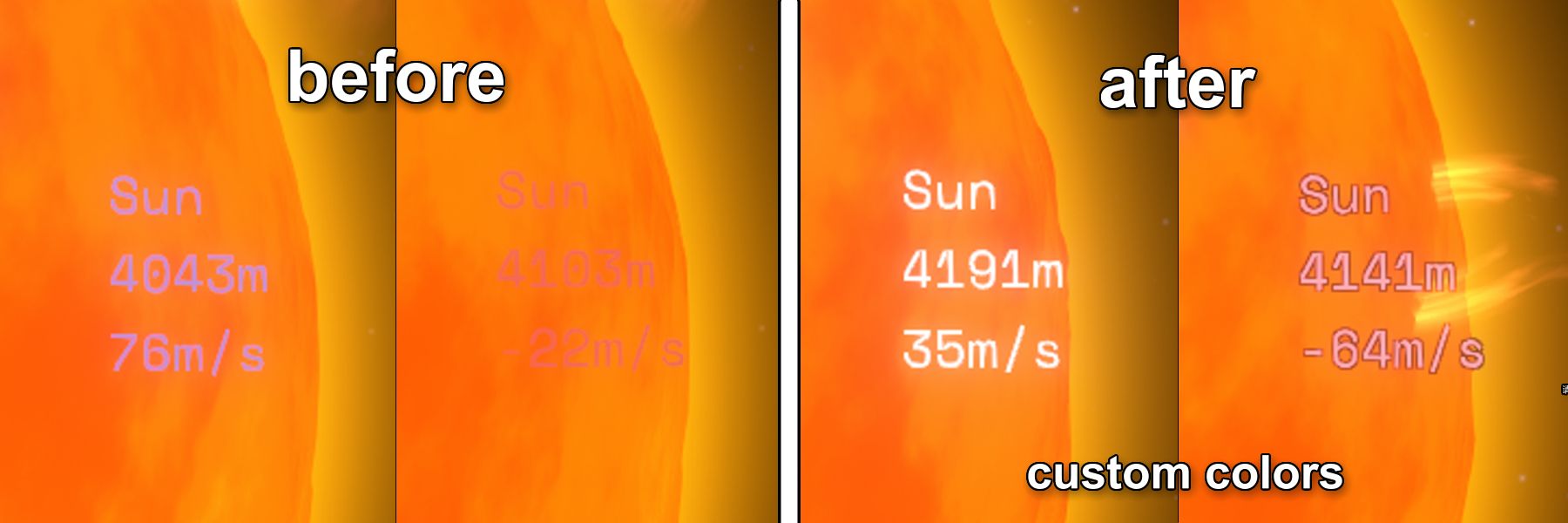
I made this mod while going for the Hotshot achievement in Outer Wilds — when flying close to the sun, the distance/velocity readout becomes nearly unreadable against the bright orange background. This mod fixes that.
The mod ships with a default color preset (see the "after" side of the preview at the top).
Features
-
Bloom Toggle: Enable/disable the bloom effect at any time via a checkbox in the mod config menu. Bloom is enabled by default (same as the game's native look).
-
Custom Range Threshold: The Close/Far range threshold is fully customizable (default 4550m)
-
Readout Customization: When locked onto any celestial body, you can customize the readout color and outline based on distance to the target and relative velocity.
Two distance tiers (threshold is customizable, default 4550m)
- Close Range (below the threshold)
- Far Range (at or above the threshold)
Three velocity states within each tier
| Velocity State | Customizable |
|---|---|
| Positive velocity (approaching) | Color ✔ Outline ✔ |
| Negative velocity (departing) | Color ✔ Outline ✔ |
| Near-zero velocity | Not customizable — always uses the game's default color |
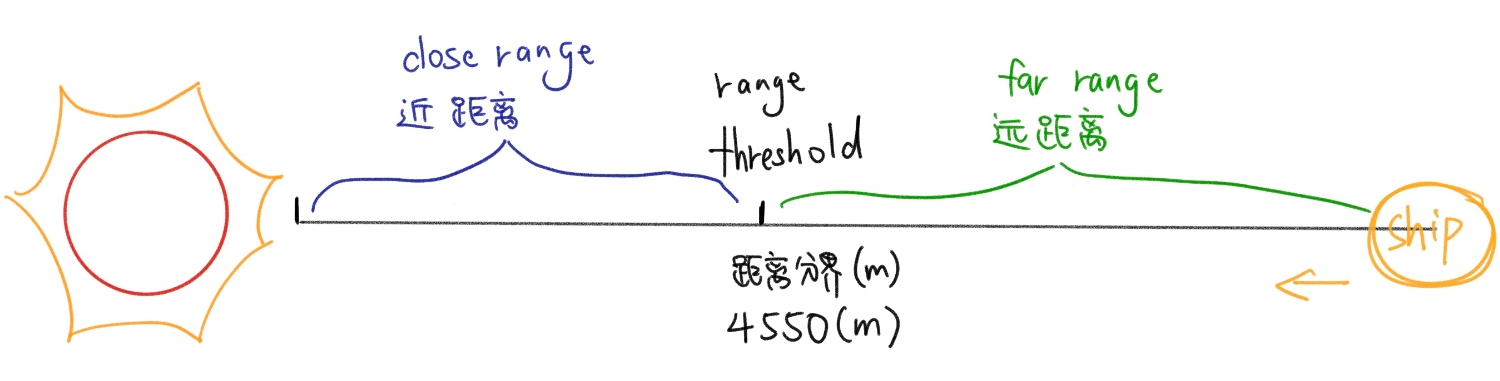
As shown above: the ship approaches the sun from right to left. While distance > 4550m, the "Far Range" colors apply; once distance < 4550m, it automatically switches to the "Close Range" colors.
Notes
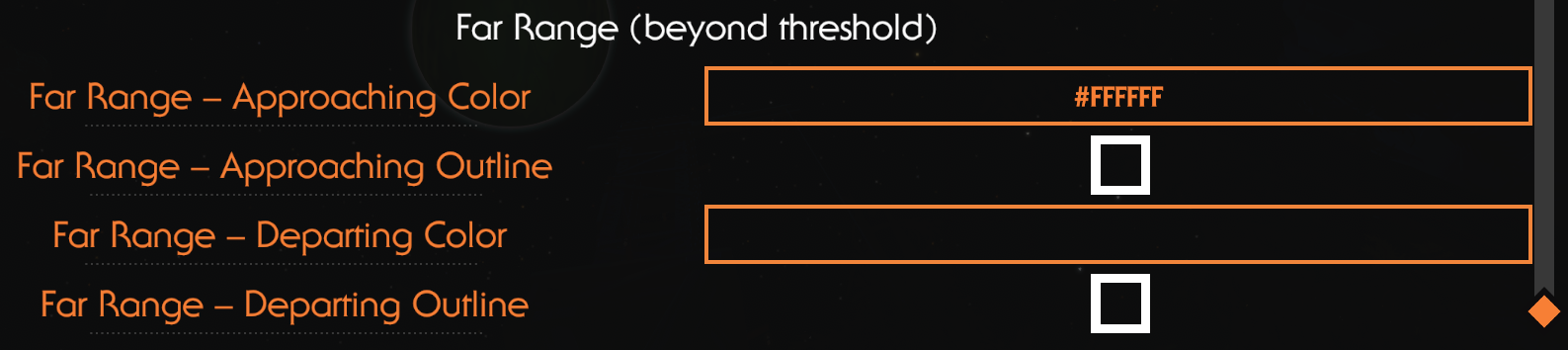
- Colors apply to both the lock-on reticle and the readout text; the outline (fixed black, thin) only affects the text.
- Enter colors as hex values, e.g.
#FF9EAF(with or without the#). - Leave a color slot empty = use the game's default color (in the screenshot above, "Far Range – Departing Color" is left empty).
- All settings can be changed in-game via the mod config menu and take effect immediately — no restart needed.
Why a "Range Threshold" and a Bloom Toggle?
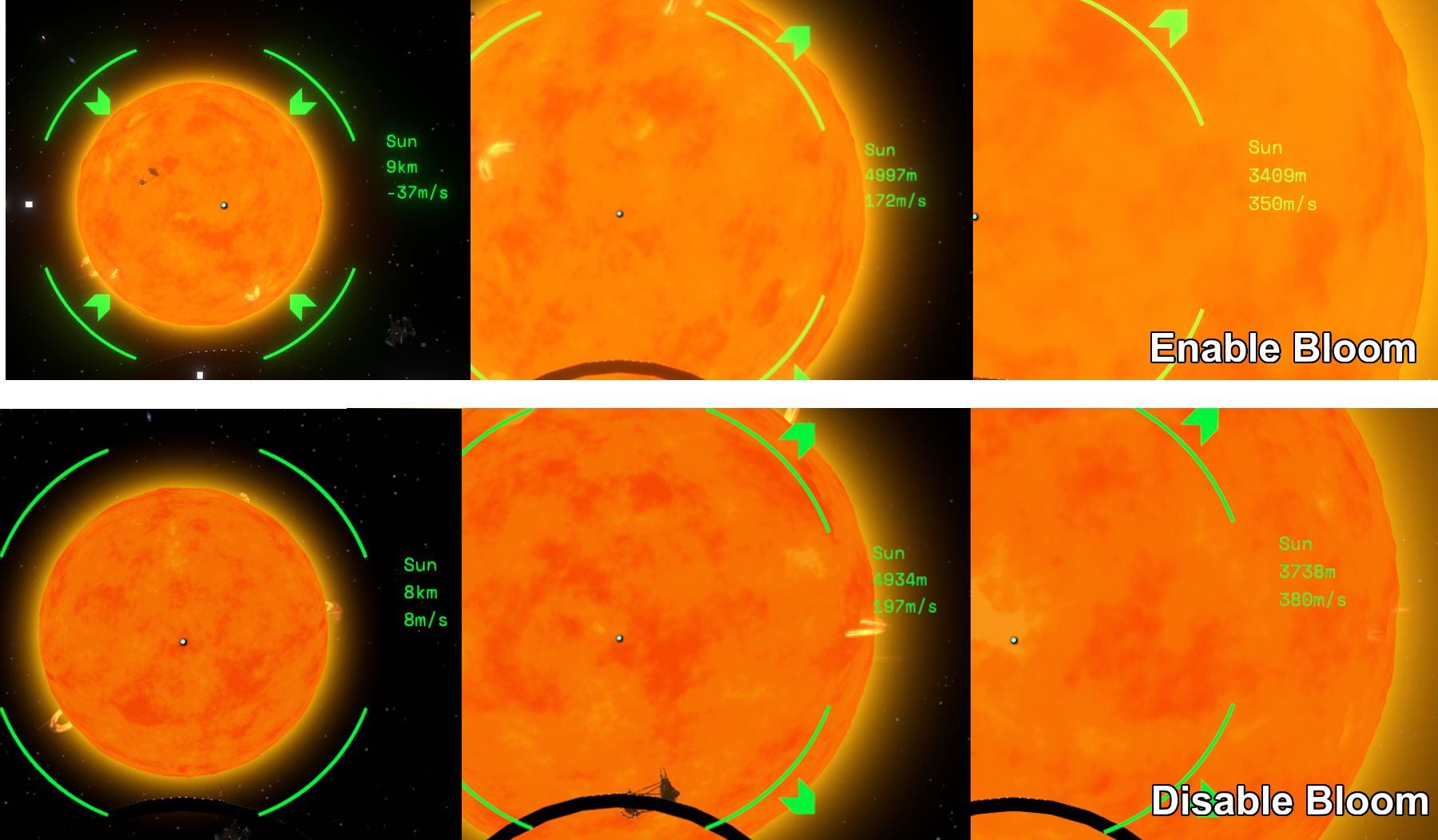
The image above compares how the same hex color (green) looks against three different backgrounds:
- From left to right, the text backgrounds are: black space, the sun's atmosphere, and the sun's disk;
- The top row is bloom enabled (the game's native look), the bottom row is bloom disabled.
As you can see:
- With bloom on, due to the combined effect of human color perception and the bloom post-processing, the green text turns visibly yellow against the sun's disk;
- With bloom off, the text color looks almost identical across all backgrounds.
- With bloom off, the sun itself appears redder.
This is where the mod's two design decisions come from:
- Range Threshold: Once you get close to the sun, a color that reads clearly at a distance can become hard to distinguish. That's why the mod offers two independent color sets split by a distance threshold — pick a bright, bloom-resistant color for "close range + sun background", and keep your favorite colors for far range.
- Bloom Toggle: Bloom is a camera post-processing effect, and the game itself offers no option to disable it. This mod turns it into a simple checkbox that applies to the currently active camera, so you can compare the difference in real time and decide for yourself: turn bloom off for true-to-value colors, or keep it on and give the close-range tier a bloom-resistant bright color instead.
Sun-Proof Hotshot Readout
为了解决在做《星际拓荒》成就“飞行高手”时,靠近太阳的“距离/速度”读数在太阳橙色背景下看不清的问题,制作了该 mod。
mod 已内置一套默认配色,见上方预览图的 after。
功能
-
Bloom 开关:在 MOD 配置菜单中勾选即可随时开启/关闭泛光(bloom)效果。mod默认bloom是开启(游戏原生效果)。
-
距离分界自定义:近距离/远距离的分界值可自行设置(默认 4550m)
-
读数自定义:锁定任意天体时,可根据到该目标的距离和相对速度分别自定义读数颜色和描边。
按距离分两档(分界距离可自行设置,默认 4550m)
- 近距离(小于分界值)
- 远距离(大于等于分界值)
每档内按速度分三种状态
| 速度状态 | 可定制 |
|---|---|
| 正速度(接近目标) | 颜色 ✔ 描边 ✔ |
| 负速度(远离目标) | 颜色 ✔ 描边 ✔ |
| 速度接近 0 | 不可定制,始终使用游戏默认色 |
如上图:飞船从右向左靠近太阳。距离 > 4550m 时使用“远距离”档的独立颜色;距离 < 4550m 时自动切换为“近距离”档的独立颜色。
说明
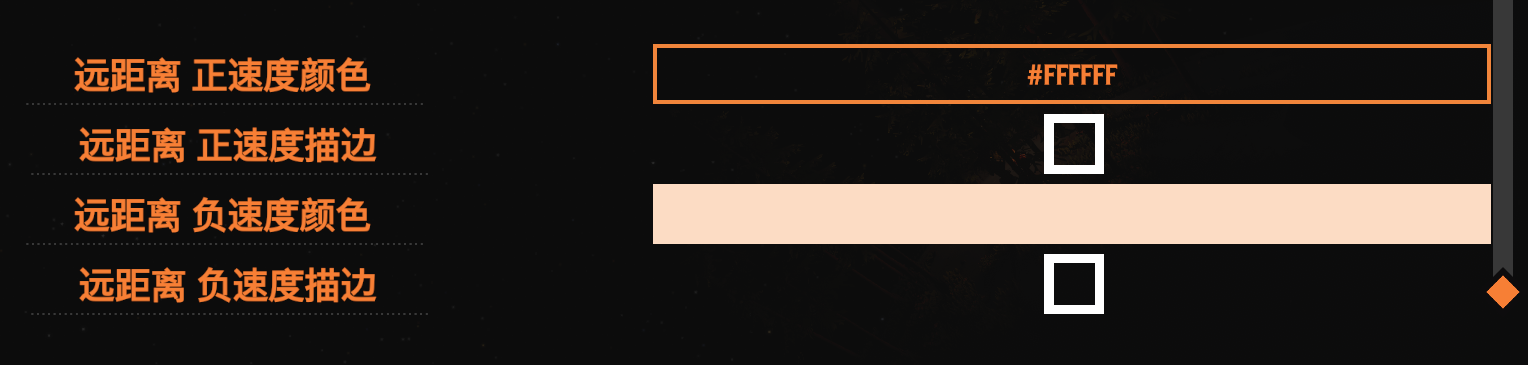
- 颜色同时作用于锁定圆环和读数文字;描边(固定黑色细边)只作用于文字。
- 颜色用 hex 填写,如
#FF9EAF(带不带#均可)。 - 某个颜色槽位留空 = 使用游戏默认色(如上图的“远距离·负速度颜色”就留空了)。
- 所有设置在游戏内 MOD 配置菜单里实时修改,无需重启。
为什么要提供“距离分界”和 Bloom 开关?
上图是同一个 hex 颜色(绿色)在三种背景下的观感对比:
- text从左到右背景依次为:黑色太空、太阳大气层、太阳球体;
- 上排为开启 bloom(游戏原生效果),下排为关闭 bloom。
可以看到:
- 开启 bloom 时,受人眼色彩感知差异与泛光的叠加影响,绿色文字在太阳圆盘背景下明显偏黄;
- 关闭 bloom 后,文字的观感颜色几乎不随背景变化。
- 关闭 bloom 后,太阳更红。
于是引出本 mod 的两个设计:
- 距离分界:靠近太阳后,原本在远处清晰的颜色会变得难以分辨。因此按“距离分界”提供两套独立配色——为“近距离 + 太阳背景”单独选一个抗泛光的亮色,远距离则继续使用自己喜欢的颜色。
- Bloom 开关:bloom 是挂在相机上的后处理效果,游戏原生并没有提供关闭它的选项。本 mod 把它做成一个勾选框,对当前视角相机生效,方便你实时对比开关前后的观感差异,自己决定是关掉 bloom 保持颜色真实,还是留着它并为近距档配一个抗泛光的亮色。
Sun-Proof Hotshot Readout
Make the lock-on distance/velocity readout readable against the sun. Custom colors, outlines, range tiers, and a bloom toggle.